Unreal Engine 5.8 plugin
Your assistant says done. ue-cortex checks.
Eleven specialist playbooks, a design document you can edit, a dependency-ordered task list and checks inside the editor, for Claude Code, Cursor or Codex building your Unreal project.
The plugin makes no model calls and uses your assistant’s own login. It covers roughly half to two-thirds of the engineering scaffolding; art, level design and tuning stay yours.
Capabilities
What the plugin does for your assistant
Frontier assistants can already write Unreal code. ue-cortex adds the contract they work to, independent checks on the result, and a record you can resume.
-
A plan you can read and change
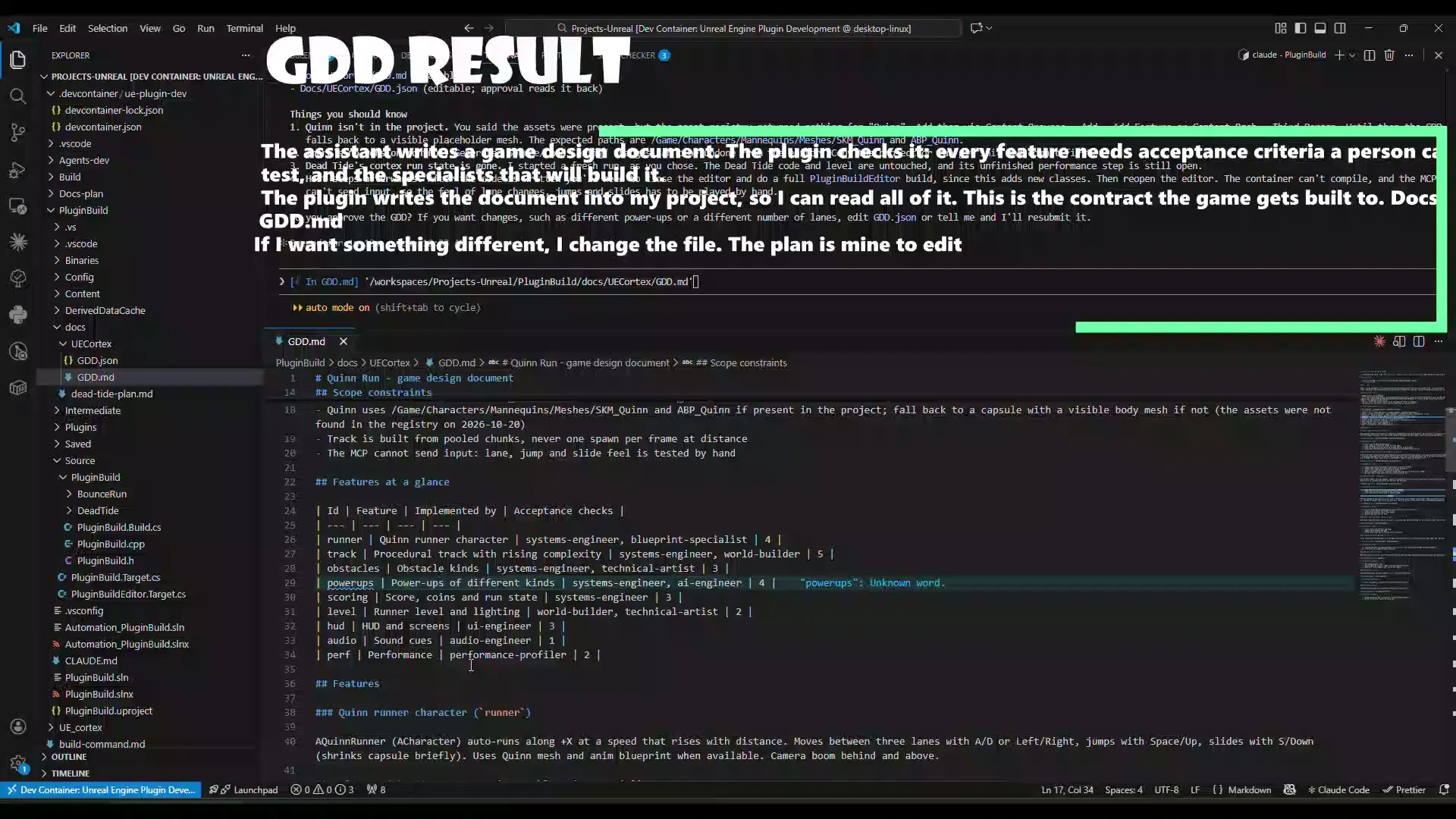
Your assistant submits a game design document. The plugin rejects gaps (a feature with no acceptance criteria a person can test, or an unknown agent) and, once accepted, writes Docs/UECortex/GDD.json and GDD.md into your project. Edit GDD.json and approve: your edit is read back and validated.
-
Specialists that get only their slice
Approval builds a dependency-ordered task list, one step per agent the design uses. Each agent receives its slice of the document, its acceptance criteria and one reference file at a time, so context stays small and numbers the design does not state are not invented.
-
Checks in the editor, not on trust
A step is reported when your assistant says so and verified only when the plugin checked it: a Live Coding compile, a Play-In-Editor smoke test, the log, and the assets a step declared. Failures are routed to the responsible agent.
-
A run that survives restarts
New C++ classes need a full rebuild and an editor restart. The run is kept in Saved/UECortex/run.json, so cortex_resume continues from the next unfinished step with the same run id.
-
Built into Epic’s Unreal MCP server
No port of its own, no API key, no model access. The cortex tools sit next to Epic’s own toolsets, and a doctor in the panel checks the payload, engine, C++ module, version-control rollback point and the MCP server, with a fix line for each problem.
-
Safe by construction
The plugin has no write tool: your assistant writes files, Epic’s toolsets do engine operations. Tool policy is checked on every call, verification is refused until you approve the plan, and log or tool output is treated as untrusted text.
How it works
From one sentence to a project that compiles and runs
-
Install and enable
Copy UECortex into your C++ project’s Plugins folder and build. Enable Unreal MCP (it brings Toolset Registry and Python), restart, then open Window → ue-cortex and press Run Checks.
-
Connect your assistant
Start Epic’s MCP server and run ModelContextProtocol.GenerateClientConfig for Claude Code, Cursor or Codex. Start the assistant from the project folder and the cortex toolset is there.
-
Describe, review, approve
Say “Use ue-cortex to build:” and your idea. Read the GDD the plugin wrote into your project, edit GDD.json if you want something different, then approve. Commit first: generated source is not covered by editor undo.
-
Build, verify, resume
Each specialist works its step and records the result. The plugin compiles, runs Play-In-Editor and diffs assets. After a C++ rebuild, “Continue the ue-cortex run” picks up where it stopped.
Product demo
One prompt, a checked result
From one sentence to a design document, an approved plan, code, a rebuild and a Play-In-Editor check, in one run.
Video not loading? Watch it on YouTube (opens in a new tab).
Verification
Reported is not verified
A step your assistant records is reported. Only the plugin can make it verified, and no tool accepts that status as input. The final report shows which is which.
cortex_verify_compile
Compiles through Live Coding as a background job. A pass marks code steps verified; a failure reopens the step with the errors routed to the responsible agent. Windows only.
cortex_verify_pie
Runs Play-In-Editor for 5 to 300 seconds as a background job and reports log errors.
cortex_asset_diff
Lists assets created since the step began and flags declared assets that are missing.
cortex_read_errors
Recent error lines from the output log, handed over as untrusted text.
Two honest limits
- A clean Play-In-Editor run means no log errors. It does not mean the game works: you play it and judge controls, feel and difficulty.
- When a capability is missing (Live Coding off, not Windows), the result says unsupported and what to do. The step stays reported.
The agents
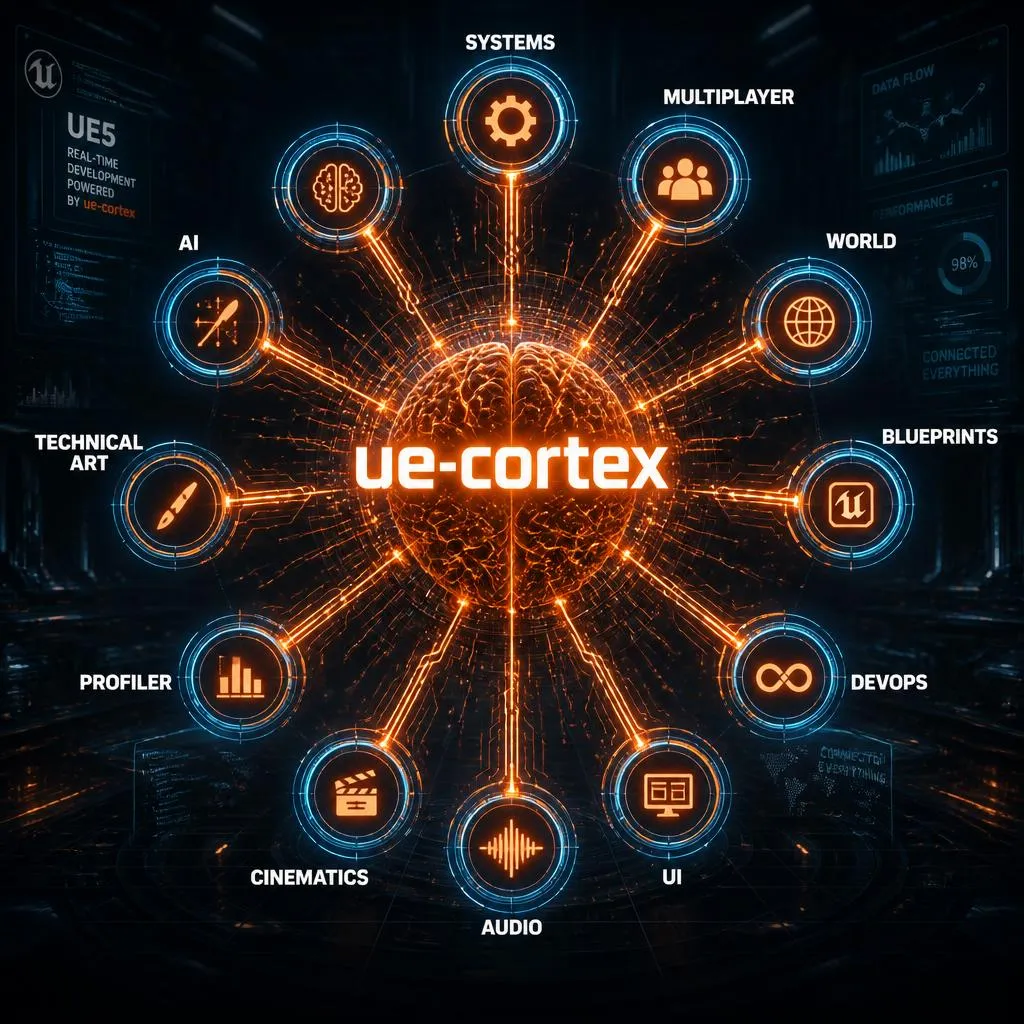
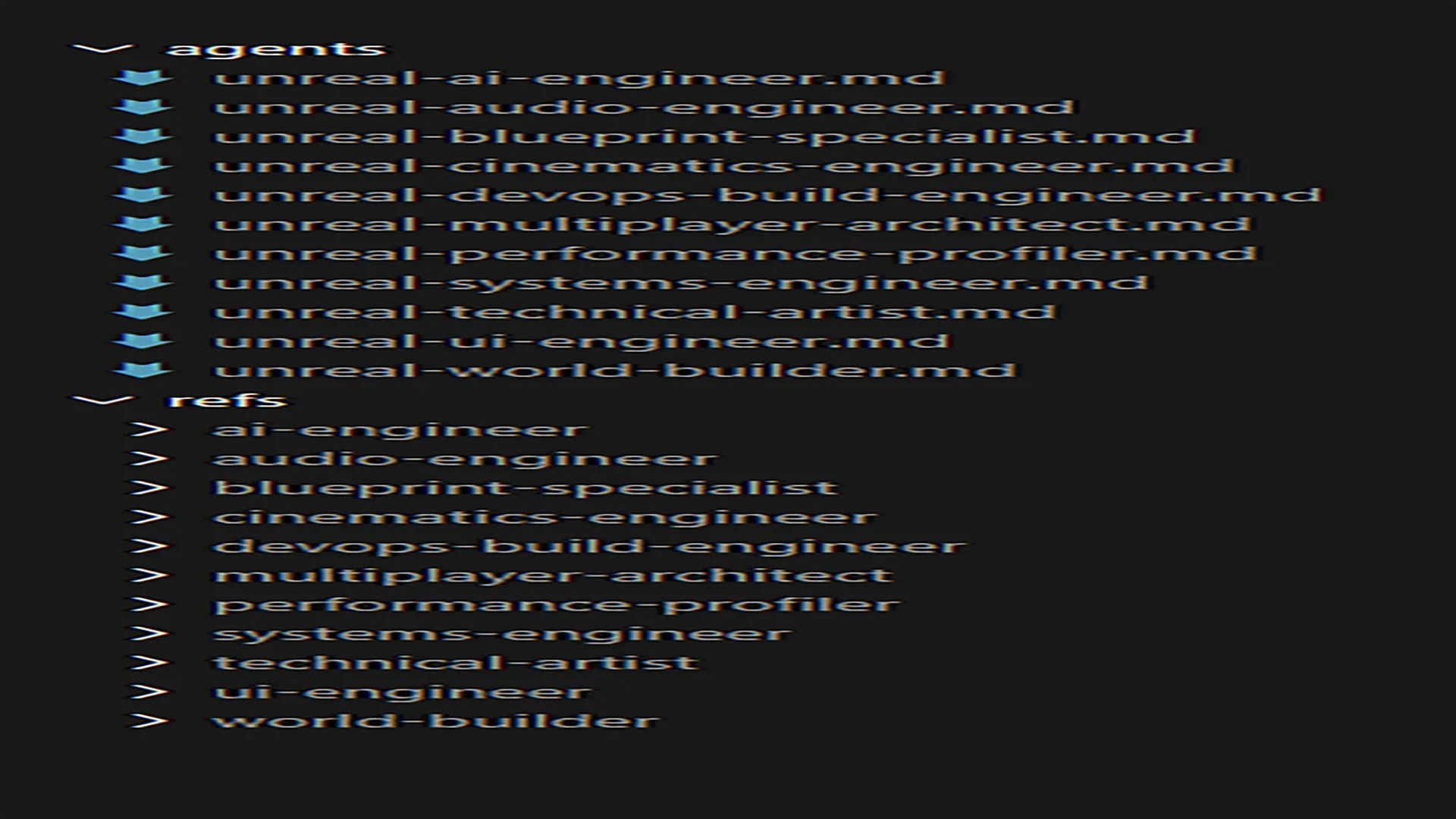
11 specialists, 83 reference files
Each agent is a playbook with its own rules. Detailed Unreal knowledge lives in reference files read one at a time, only when a task needs it. The rules come from real build failures, such as UHT signature limits and initialiser order, so generated code avoids them next time.
-
Systems Engineer
C++/Blueprint architecture, GAS, Nanite/Lumen, memory model.
-
Multiplayer Architect
Replication, GameMode/GameState hierarchy, dedicated servers.
-
World Builder
World Partition, Landscape, PCG, HLOD, streaming.
-
Blueprint Specialist
Graph organisation, communication patterns, C++ handoff.
-
DevOps / Build Engineer
BuildGraph, Gauntlet, CI/CD, large-file version control.
-
UI Engineer
Common UI, MVVM binding, UMG performance, Slate.
-
Audio Engineer
MetaSounds, sound classes and mixes, attenuation, modulation.
-
Cinematics Engineer
Sequencer, cine cameras, event tracks, nDisplay.
-
Performance Profiler
Unreal Insights, GPU/CPU triage, memory budgets, cook size.
-
Technical Artist
Master materials, Niagara, asset pipeline, Control Rig, cloth.
-
AI Engineer
Behavior Trees, EQS, navigation, perception, Mass, StateTree.
Your assistant brings the model. ue-cortex makes no model calls and ships no model access. Output quality depends on the assistant you connect.
Tool reference
Sixteen tools, registered into Epic’s MCP server
Every result carries a next step, so your assistant is walked through the run instead of guessing. With Tool Search on, they are reached through list_toolsets, describe_toolset and call_tool.
| Tool | Purpose |
|---|---|
| cortex_start | Begin or resume a run; returns the protocol, mode and readiness warnings |
| cortex_list_agents, cortex_read_agent | List the 11 playbooks; read one |
| cortex_read_ref | Read one reference file of an agent, one at a time, on demand |
| cortex_validate_gdd, cortex_submit_gdd | Check a design document for gaps; submit it and write the project files |
| cortex_approve_plan | After your approval: build the dependency-ordered task graph |
| cortex_get_task | The next step with only that agent’s slice and its acceptance criteria |
| cortex_record | Record a step’s outcome and artifacts (status reported) |
| cortex_report | Step counts, host-reported tokens, reported versus verified claims |
| cortex_resume | Continue after an editor restart |
| cortex_verify_compile | Live Coding compile check (Windows); a pass marks the step verified |
| cortex_verify_pie | Play-In-Editor smoke test, 5 to 300 seconds |
| cortex_read_errors | Recent log errors, as untrusted text |
| cortex_asset_diff | Assets created since the step started; lists declared assets that are missing |
| cortex_get_job | Poll a background verification job |
Honest scope
Roughly half to two-thirds of the scaffolding
The plugin gets a project from an idea to code that compiles and runs. Treat the output as a strong first pass from a teammate: review it, play it and iterate.
ue-cortex generates
- A validated design document with testable acceptance criteria
- C++ classes, Blueprint stubs, build files and module dependencies
- GAS attribute sets and abilities, Enhanced Input, the GameMode/GameState hierarchy
- Basic AI (Behavior Trees, Blackboards), save-game classes and HUD widget wiring
- A dependency-ordered task list with a resumable record
- Compile checks (Windows), a Play-In-Editor run, log review and an asset diff
You still create
- 3D meshes, textures, animations or audio files
- Level design, visual polish and gameplay tuning
- Playing the game: the assistant cannot send keyboard or mouse input to Play-In-Editor
- Creating a brand-new level: make an empty one once and tell the assistant where it is
- A finished, shippable game
- Review and iteration on the generated code
Compatibility
Built and tested for Unreal Engine 5.8
Unreal Engine 5.8
The only supported version. On any other version the plugin loads but stays unavailable and says why. UE 5.6–5.7 is planned for a later version.
A C++ project
A Source folder with a game module. A Blueprint-only project needs one C++ class added once (Tools → New C++ Class), then a restart.
Unreal MCP + Toolset Registry
Epic’s own plugins, both Experimental in 5.8. Live Coding and the Live Coding Toolset are optional, for compile checks on Windows.
- Assistants
- Claude Code, Cursor or Codex, with their own account
- Model
- None in the plugin: your assistant’s own login and cost
- Network
- No port of its own; tools are registered into Epic’s MCP server
- Compile checks
- Windows only (Live Coding)
- Version control
- Strongly advised; generated Source and Config are not covered by editor undo
- In packaged games
- Nothing. It is editor-only tooling
FAQ
Common questions
Where do I get it?
ue-cortex is sold only on the Fab marketplace. This website is a presentation and takes no payments.
How do I receive updates?
Through Fab. Updates reach every owner via Fab’s own version system.
Which engine versions are supported?
Unreal Engine 5.8 only. On any other version the plugin loads but reports itself unavailable, with the reason. UE 5.6–5.7 support is planned for a later version.
Does it make a finished game?
No. It gets a project from an idea to code that compiles and runs, roughly half to two-thirds of the engineering scaffolding. Art, level design, tuning and polish remain your work, and you play every build.
Which model does it use, and does it cost per use?
None. The plugin makes no model calls and adds no per-use charge. Your assistant (Claude Code, Cursor or Codex) uses its own login and is billed by its provider.
Is my project sent anywhere?
The plugin opens no network port of its own and sends nothing. Your assistant sends what it reads to its provider under that provider’s terms.
Does it work on a Blueprint-only or an existing project?
It needs a C++ project: add any C++ class once and restart. It works on an existing C++ project on UE 5.8; commit first, because generated Source and Config files are not covered by editor undo.
Can it play my game or create a new level?
No. It cannot send keyboard or mouse input to Play-In-Editor, and cannot create or save a brand-new level. A clean Play-In-Editor run means no log errors, not that the game works.
Does it ship in my game?
No. It is editor-only tooling and adds nothing to packaged builds.
Licence and refunds?
Fab’s Standard License and Epic’s refund policy apply, as with any Fab purchase.

See the plugin on Fab
Pricing, licence terms, reviews and downloads all live on the Fab listing.